Google Mixboard for Florists: How to Fix the "Client Language Gap" in Consultations
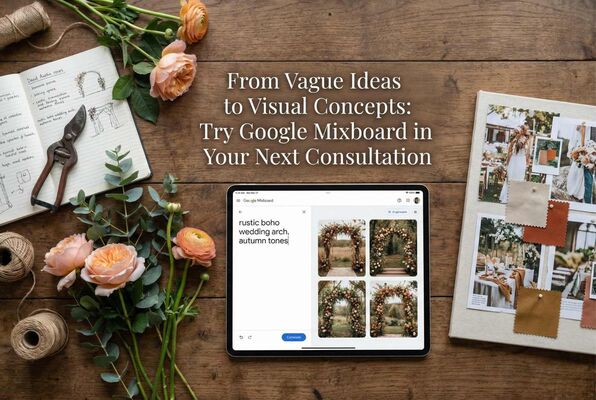
The Consultation That Made Me Think
I remember a bride who came into our shop in Kingscliff back in 2007. We'd only had the place for about a year at that point, still finding our feet, still learning the difference between a David Austin and a standard hybrid tea if I'm honest. Myself, or me, were not florists of course.
She sat down at our little consultation table, the one wedged between the gift displays and the fridge, and said she wanted something "rustic but modern, with a boho feel, but elegant, not too wild but definitely not boring." I nodded, took notes, showed her some photos from our portfolio. A small portfolio, mind you, we hadn't done that many weddings yet. She squinted at them. "Sort of like that, but different." For reference, even though we were not florists we did have a florist who contracted to us.
About 90 minutes later, she left the shop, sweating no doubt (we didn't have or could afford A/C). I spent that evening flipping through bridal magazines with our florist and Asha climbing all over me, cutting out images, printing photos from websites, trying to piece together a mood board that captured what I thought she meant. Stuck it all on a display board with blu-tack. Professional stuff. Brought it in the next day and called her to come have a look.
"I love it but can we see it with more greenery? And maybe warmer tones? And what about those fluffy roses I saw somewhere?"
Back to the magazines. Another evening. Another board. Another round of "almost but not quite."
The hardest part wasn't making the flowers, it actually was figuring out what they actually wanted.
The gap between what a client pictures in their head and what comes out of their mouth is real. "Moody" means something different to everyone. "Whimsical" could go fifty different directions. And florists, bless us, are expected to translate these vibes into actual arrangements before anyone's committed to anything.
Which brings me to something I stumbled across recently that I reckon could genuinely help, given that a lot of florists still use magazines, or even Pinterest now.
What is Google Mixboard?
Google Mixboard is an experimental tool from Google Labs. I'll be upfront, it's still in the "labs" phase which means it might not be available in all regions yet (Australia is for sure), and you may need to request access. But hear me out because the concept is genuinely useful.
Think of it as a smart whiteboard, a modern day scrapbook. You can type in a description of what you want to see, and it generates images using AI. You can upload your own photos, or your clients photos, and blend them together. You can sketch rough ideas and watch them come to life. And the whole thing sits on an infinite canvas that you can keep expanding, rearranging, and refining. Amazing right?! My daughter Ivy just used it for a school project on Richard Arkwright, you will need to Google that lol. It helped her so much, so much so, she is bound to get an A+.
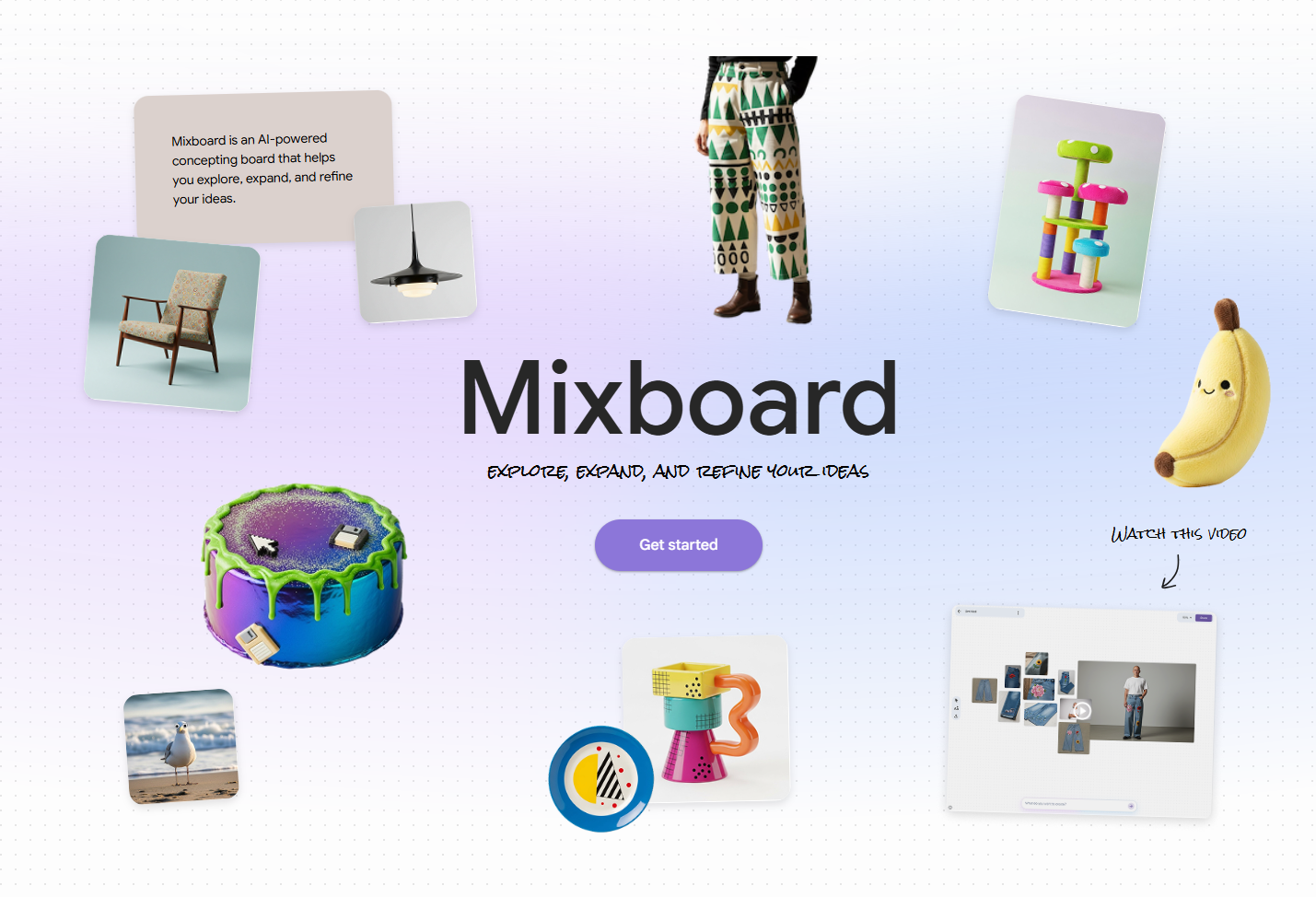
For florists, the key features are:
Generating visuals from text
You type "blush pink peony bouquet with eucalyptus and trailing ribbons" and it gives you options. Not photos of real arrangements necessarily, but concept images that capture the feel.
Remixing different elements
Say you've got a photo of a specific vase you stock. And a separate photo of a flower style you like. Mixboard can blend them together to show how they might work as a pair.
A canvas that grows with the conversation
Unlike a static PDF that you send and then wait for feedback, this is something you can build and adjust in real time, during the consultation if you want.
Now, I'm not one to get excited about tech for tech's sake. I have run Lily's Florist for 17 years now without jumping on every shiny new thing. But this one feels different because it solves a real problem that florists actually have.
Why This Could Change How You Work
Let me paint a picture.
A bride walks into your shop. She's got Pinterest boards with 47 conflicting images. She uses words like "organic" and "refined" in the same sentence. Her mum is with her and has opinions. Strong ones.
In the old world, you'd take notes, nod a lot, maybe show some photos from your portfolio, and promise to send through some concepts in a few days.
With Mixboard open on a tablet or laptop, you can start building something right there. She says "autumn tones" and you type it in. Images appear. She wrinkles her nose at one, lights up at another. You drag the one she likes to the side. She mentions she loves the look of pampas grass but her mum thinks it's overdone. You generate a version with and a version without. Side by side. Five minutes in, you've got three directions sketched out visually and everyone can see what everyone else is talking about.
The language gap shrinks. The back and forth emails reduce. And you haven't spent your evening in Canva.
There's also the upselling angle, which I know feels a bit gross to talk about but it's practical. If you can show a "standard" concept next to a "premium" concept right there in the room, clients can see the difference. Not just hear you describe it. Some will happily pay more when they can actually see what "more" looks like.
How to Actually Use It (Step by Step)
Right, let's get practical.
Getting Started
Head to labs.google and look for Mixboard. You'll need a Google account. Depending on when you're reading this, you might need to join a waitlist or it might be openly available. Google keeps changing these things. You will need to scroll down a little to see it, usually close to the bottom and next to another Google App called Pomelli.
> Learn more about Pomelli and how it can help your flower shop socials
Once you're in, click on the purple 'get started' button, then start a 'new project'. I'd suggest naming it for the client or event. "Smith Wedding March 2026 in Kingscliff at Peppers" or "Corporate Gala Crown Casino" or whatever makes sense for your filing system.
Your First Prompt
Start with a base concept. Be specific. The AI works better when you give it real flower names and context.
Instead of: "Pretty wedding flowers"
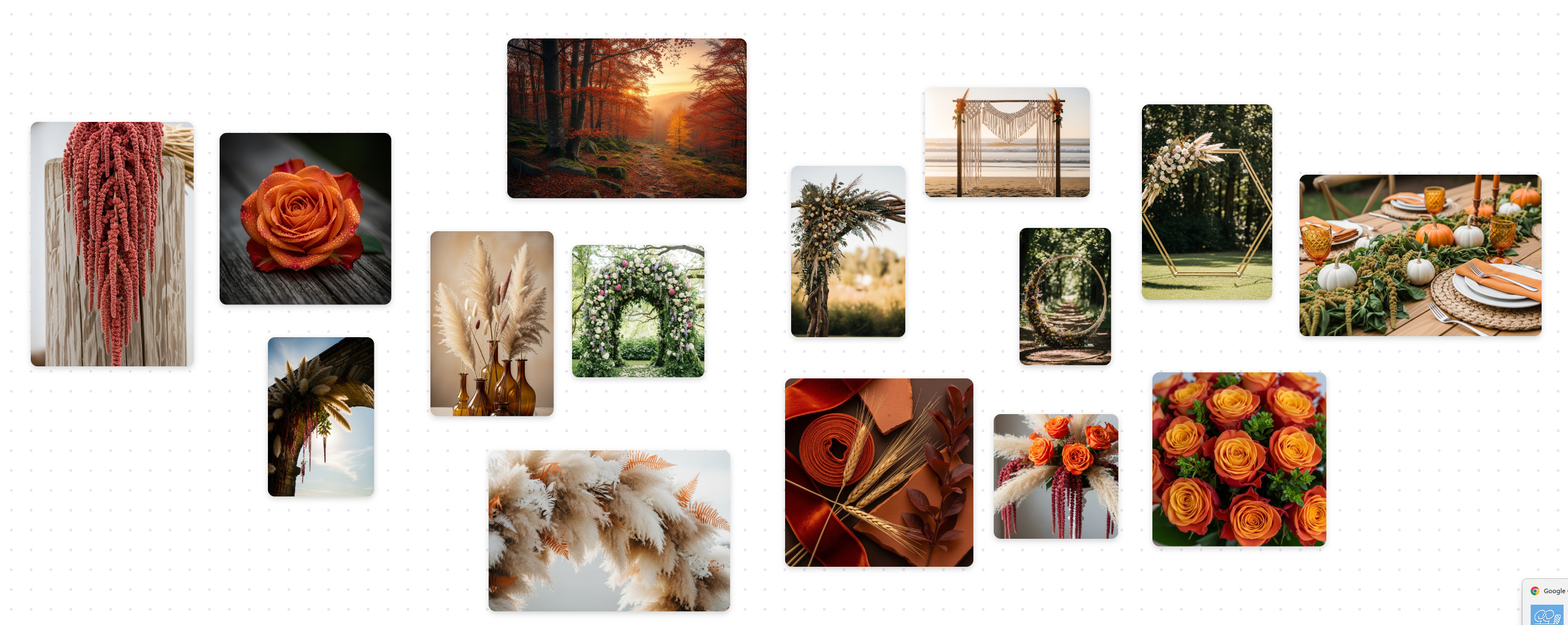
Try: "Autumn wedding arch with burnt orange roses, dried pampas grass, and trailing amaranthus"
You'll get a few generated options. Some will be weird. Some will be surprisingly close to what you imagined. Drag the good ones onto your canvas.
I used that same prompt and you can see by the image below.
Refining What You've Got
Here's where it gets interesting. You can select an image and ask for changes.
"Add more greenery" "Change the roses to ranunculus" "Make the overall palette warmer" "Show this in soft afternoon light instead of bright daylight"
You can also use the Eraser tool to circle a specific flower you hate or maybe a rose that looks a bit too fake—and type 'replace with a white ranunculus'. It’s like magic.
The Mixing Part (This is the Good Bit)
Say your customer has got a photo on their phone of a venue where they are having their wedding. The actual venue where the wedding is happening. Open a new project in Mixboard and ask them to email you the photos, then upload each photo to the new project just like in the below image.
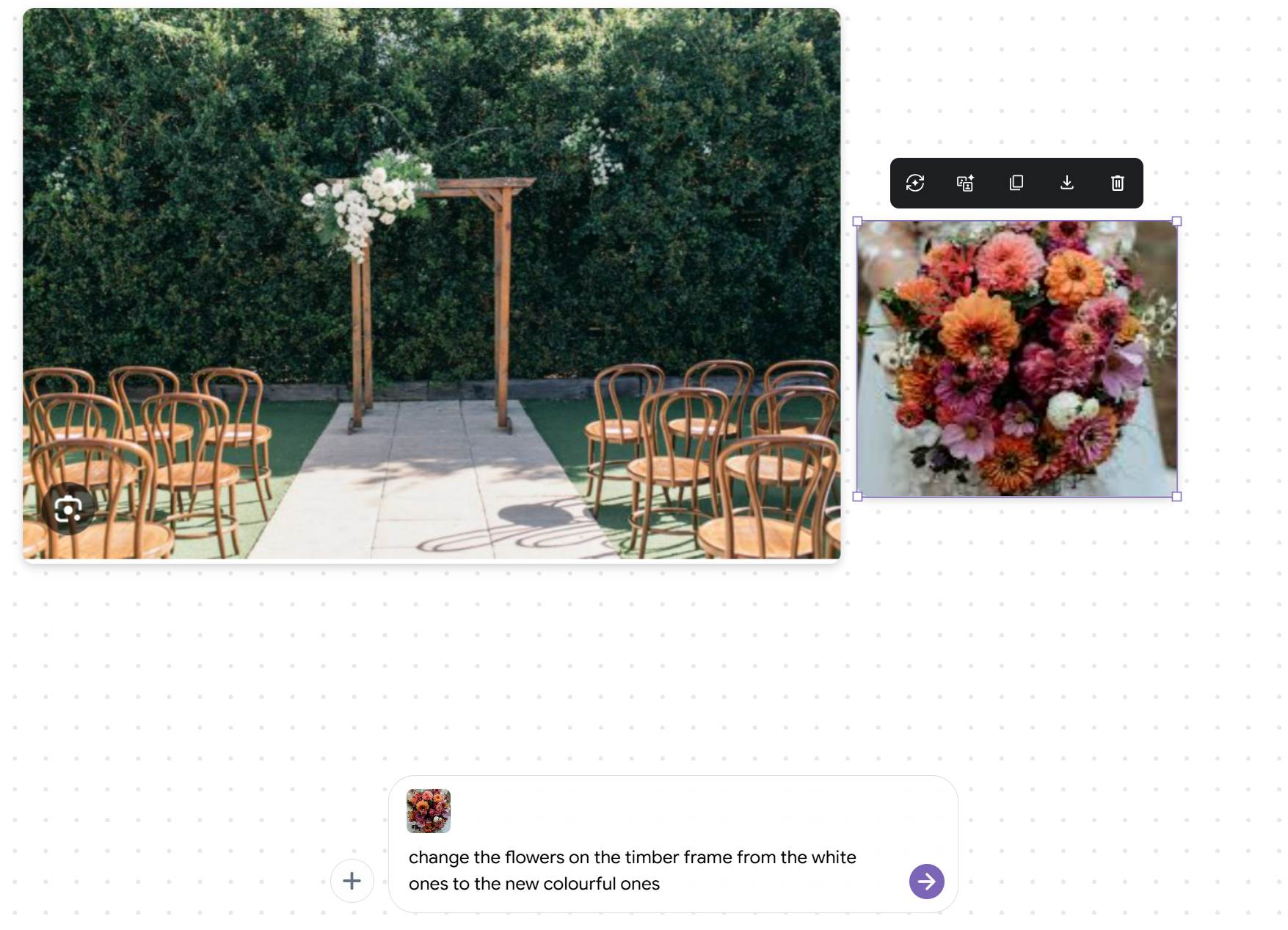
Then I want you to type the very simple prompt I created, you can type it yourself and it goes like this: "change the flowers on the timber frame from white ones to the new colourful ones'. And presto, the Ai is smart enough to know exactly what you mean and how to do it, as you can see from the output in the image below. It's really quite incredible!
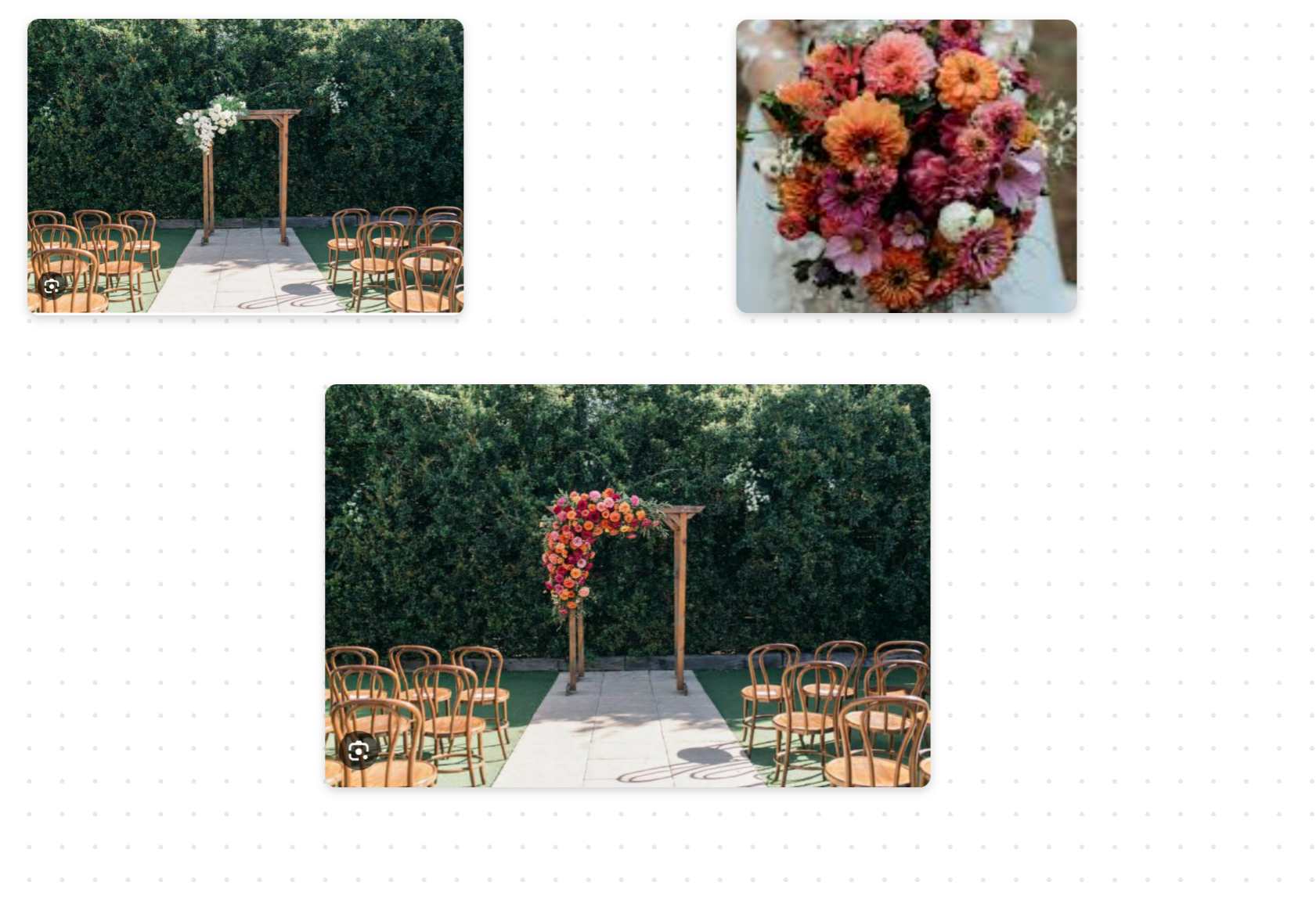
Here are some of my tips to further tweak the image in this example:
- Use less flowers
- Use slightly less flowers
- Use more flowers
- Use a little less red flowers
- Use more flowers
- Use a little more yellow flowers
- Position the flowers to the right side of the frame rather than the left
- I have a new image, change the flowers on the frame to the new flowers
Mixboard can blend these real photos with the AI generated floral concepts. So instead of showing a generic "this is the vibe" image, you're showing something that looks like your flowers in their venue with your vessel.
It's not photorealistic. The client needs to understand these are concepts, not photographs of the final product. But it bridges the imagination gap in a way that's genuinely useful.
The Writing Part (Because Words Are Hard)
Let's be honest, most of us are better with stems than sentences. Put a bucket of blooms in front of us and we know exactly what to do. Put a blank email draft in front of us? Nightmare. Because Mixboard actually "sees" the images on your canvas, it can write about them too. Once you're happy with your board, you can type a command like: "Write a romantic paragraph describing this style for a client proposal." It will look at those blush roses and trailing ribbons you just generated and churn out copy about "ethereal textures" and "timeless romance." You’ll want to tweak it so it sounds like you and not a robot, but it beats staring at a blinking cursor for twenty minutes wondering how many times you can use the word "whimsical" in one sentence.
Where This Helps
The Bride Who Can't Decide
You know the one. She loves everything. She hates everything. She's torn between three completely different aesthetics and her wedding is in four months.
Use Mixboard to do rapid comparisons. "Boho with wildflowers" versus "Classic with garden roses" versus "Modern with architectural anthuriums." Generate them, line them up, let her react. You'll figure out what she actually wants faster than any Pinterest scroll ever could.
Corporate Pitches
Hotel lobby installations. Gala dinners. Corporate events where you're competing against other florists for the contract.
A polished visual storyboard in your proposal makes a difference. You can generate high concept images for a hotel entrance or a dining table setup, export them, and include them in your PDF. Looks professional. Takes a fraction of the time it would take to mock up in Photoshop.
Planning Your Own Shop
This one's for the florists who like to think ahead. Valentine's Day is coming. You want to plan your window display. You've got ideas but you're not sure how they'll come together.
Type in your concept. "Valentine's window display with red roses in glass vases, scattered petals, soft pink lighting." See what it generates. Tweak it. Show your team. Decide if it's worth buying that new prop or not before you've spent the money.
Getting Better Results
Few things I've noticed from playing around with it.
Be specific with your flower names
The AI knows the difference between a David Austin Juliet Rose and a generic garden rose. Use proper names when you can. "Cafe au lait dahlias" rather than just "dahlias." "Silver dollar eucalyptus" rather than just "greenery."
Include lighting and mood words
"Golden hour" changes the feel completely. So does "candlelit" or "overcast day" or "bright studio lighting." These cues help the AI understand the atmosphere you're going for.
Don't oversell it to clients
This is important. These are concept images. They're not photographs of real arrangements. They're not exact representations of what you'll deliver. Make sure your clients understand that. Use phrases like "this captures the direction" or "this is the feeling we're aiming for." You don't want someone expecting the AI image and disappointed by reality, even if reality is beautiful in its own right.
Five Prompts to Try Right Now
If you've got access and want to have a play, here are some starting points:
- Cascading bridal bouquet with white phalaenopsis orchids and dark green monstera leaves
- Minimalist ikebana arrangement in a low ceramic bowl with a single flowering branch
- Hanging floral installation with trailing wisteria and warm fairy lights
- Vintage flower shop front with galvanised buckets overflowing with sunflowers
- Moody table centrepiece with burgundy dahlias, dark foliage, and taper candles
See what comes out. Refine from there. Get a feel for how the prompts translate into visuals.
Wrapping Up
Look, I'm not saying Mixboard will revolutionise your entire business overnight. I've been in this industry long enough to be sceptical of anything that promises to change everything.
But the consultation problem is real. The language gap is real. The hours spent on mood boards that go back and forth three or four times before anyone's happy, that's real too.
If there's a tool that can shrink that gap, speed up that process, and help you and your clients get on the same page faster, it's worth a look.
One boring but important note: Download your images immediately. Because this is an 'experiment,' we don't know how long Google keeps our projects. Don't use this as your permanent file storage. Download the images and save them to the client's folder on your computer.
Try it with one upcoming consultation this week. See how it feels. See if it saves you time. See if the client responds better when they can watch the concept take shape in front of them.
And if you do give it a go, I'd love to hear how it went. Drop us a message or tag Lily's Florist on social media with your board. Genuinely curious to see what you come up with.
Google Mixboard FAQ
Is this actually free, or am I going to get hit with a subscription fee in a month?
Look, right now, it's part of Google Labs, which is their playground for experimental stuff. That usually means it's free while they test it out on guinea pigs like us. I can't promise it'll stay that way forever. Google loves to change things up, but for now, it costs you nothing but a Google account and a bit of patience if there's a waitlist.
Do I need to be a tech wizard to make this work? I struggle enough with Instagram.
honestly, no. If my daughter Ivy can use it for her school project on Richard Arkwright (seriously, look him up), you can use it to build a bouquet. It's mostly typing what you want, like "blush roses," and dragging images around a screen. It's designed to be intuitive. If you can use Pinterest and handle a pair of secateurs, you'll be fine.
Can I upload my own photos, or am I stuck with what the AI gives me?
This is the best bit: you can absolutely use your own photos. If a bride sends you a snap of her venue or you have a photo of a specific vase you want to upsell, you can upload it right onto the canvas. The "remixing" feature lets you blend your real photos with the AI-generated flowers. It's genuinely useful for showing how your style fits their venue.
Will the AI know what I mean if I ask for specific flower varieties?
Surprisingly, yes, but you have to treat it like a new apprentice. Be specific. If you just type "roses," you'll get generic clip-art looking things. But if you type "David Austin Juliet Rose" or "Cafe au lait dahlia," it actually gets it. The more detail you give it about lighting and mood (like "golden hour" or "moody"), the better the result.
Is it safe to leave my projects in Mixboard long-term?
Absolutely not. Do not trust it as your filing cabinet. Because it's an "experiment," Google could decide to sunset the tool or wipe the servers at any point. My advice? Build your board, get the client excited, and then download everything immediately to your own computer. Treat it as a sketchpad, not a storage unit.
Blog Categories
Recent posts
- How Australian Florists Can Bloom Year Round
- From Lime Green Walls to the iPhone 16: My 17-Year Journey in Florist Photography
- How Do I Add A Customer Review To My Website Using Canva
- When Customers Ask Their Phone for Flowers: Are You the Answer?
- Google Mixboard for Florists: How to Fix the "Client Language Gap" in Consultations
- What is Google Pomelli? The AI Assistant Every Florist Needs